


Requesting Books Between the Sapporo Campus and the Hakodate Campus
Requesting Books Between the Sapporo Campus and the Hakodate Campus
- Service for Hokkaido University members.
- Book delivery is free.
- Copy delivery has a fee (20 yen per black‑and‑white page).
If you are studying on the Hakodate Campus, you may sometimes think, “I want to read this book, but it’s not in the Fisheries Science Library.”
Students and staff on the Sapporo Campus may also want to read books that are only available in Hakodate.
In such cases, you can request books from the Sapporo Campus to be sent to Hakodate, and you can also request books from the Fisheries Science Library to be sent to Sapporo.
For journal articles, you can request a copy.
This page explains how to request materials from another campus.
The instructions below assume a user on the Hakodate Campus requesting a book from Sapporo, but the steps are the same in the opposite direction.
Costs
- Books: Free
- Copies: You must pay the copying fee.
Pickup Locations
- Hakodate Campus: Fisheries Science Library
- Sapporo Campus: Your faculty library, the Main Library, or the North Library
Book Purchase Requests
- You can also request that the Fisheries Science Library purchase a book.
- Please submit your request through “Book Request for the Library”.
- Purchased books will be added to the library collection and can be borrowed anytime.
You can also request materials from other universities.
Please ask at the library counter for details.
How to Request a Book from the Sapporo Campus Using the Library Catalog
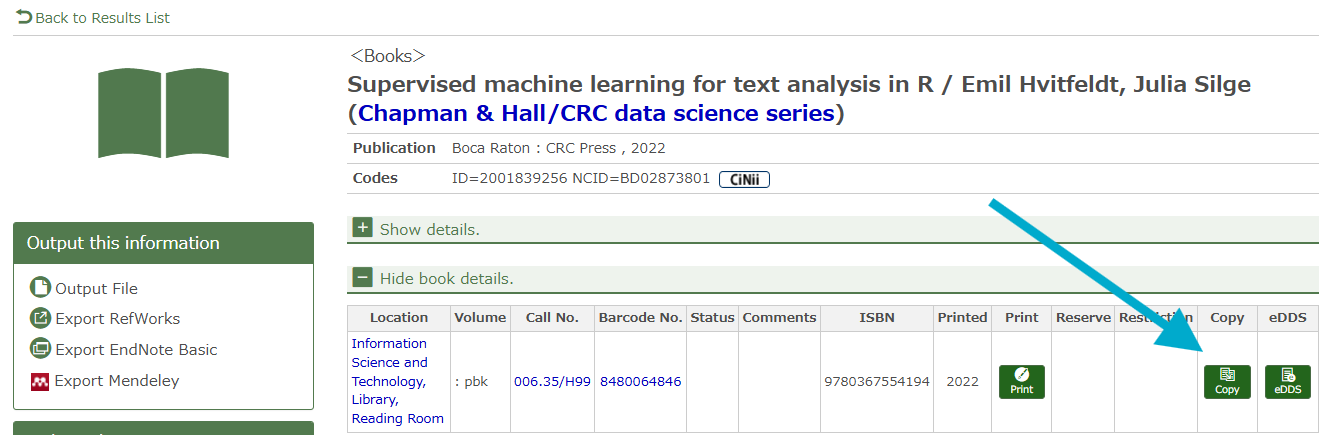
1. Search for the book in the Library Catalog.
If the Fisheries Science Library does not have it, click the “Copy” button.
Library Catalog
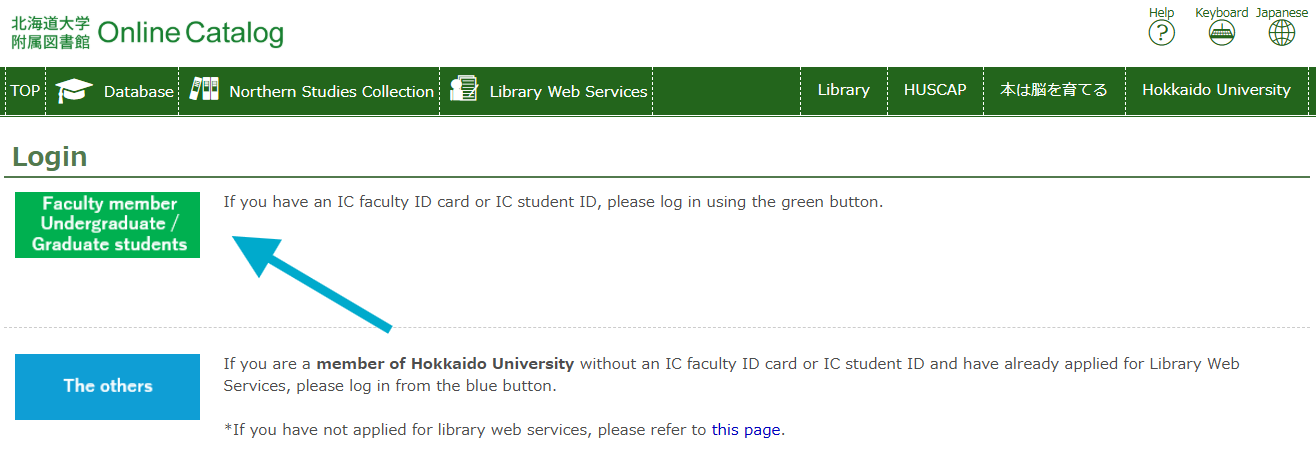
2. Log in on the next screen.
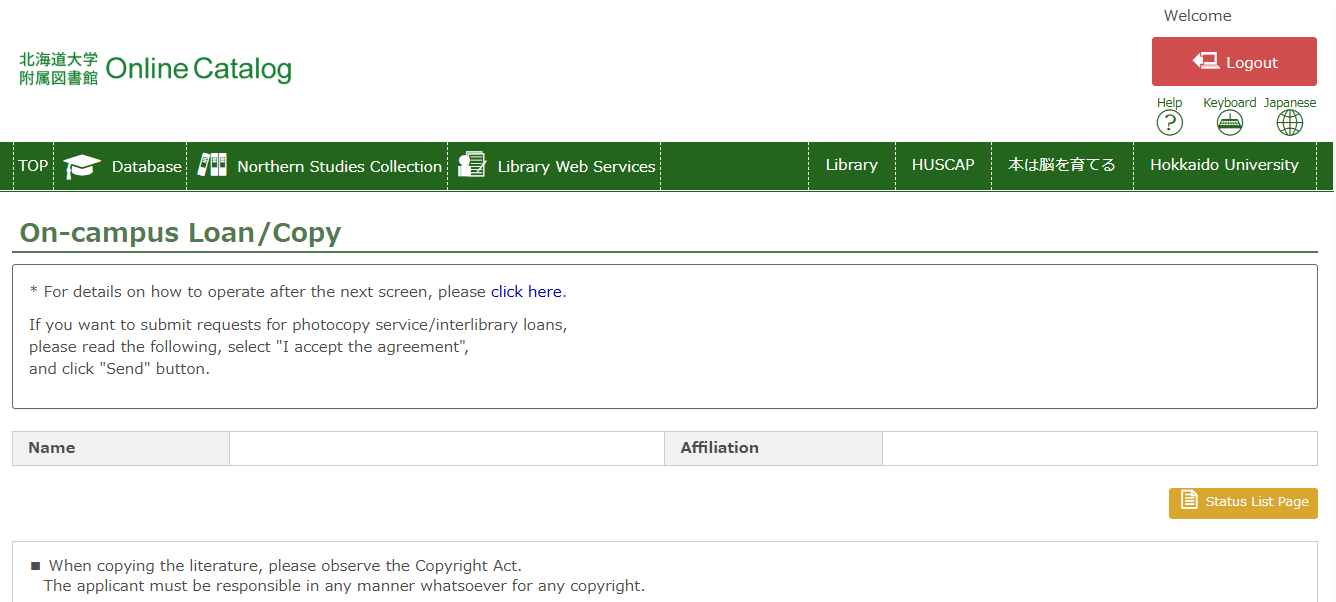
3. Read the notes on the next screen, agree to them, and click "Continue".
4. Fill in the request form from top to bottom.
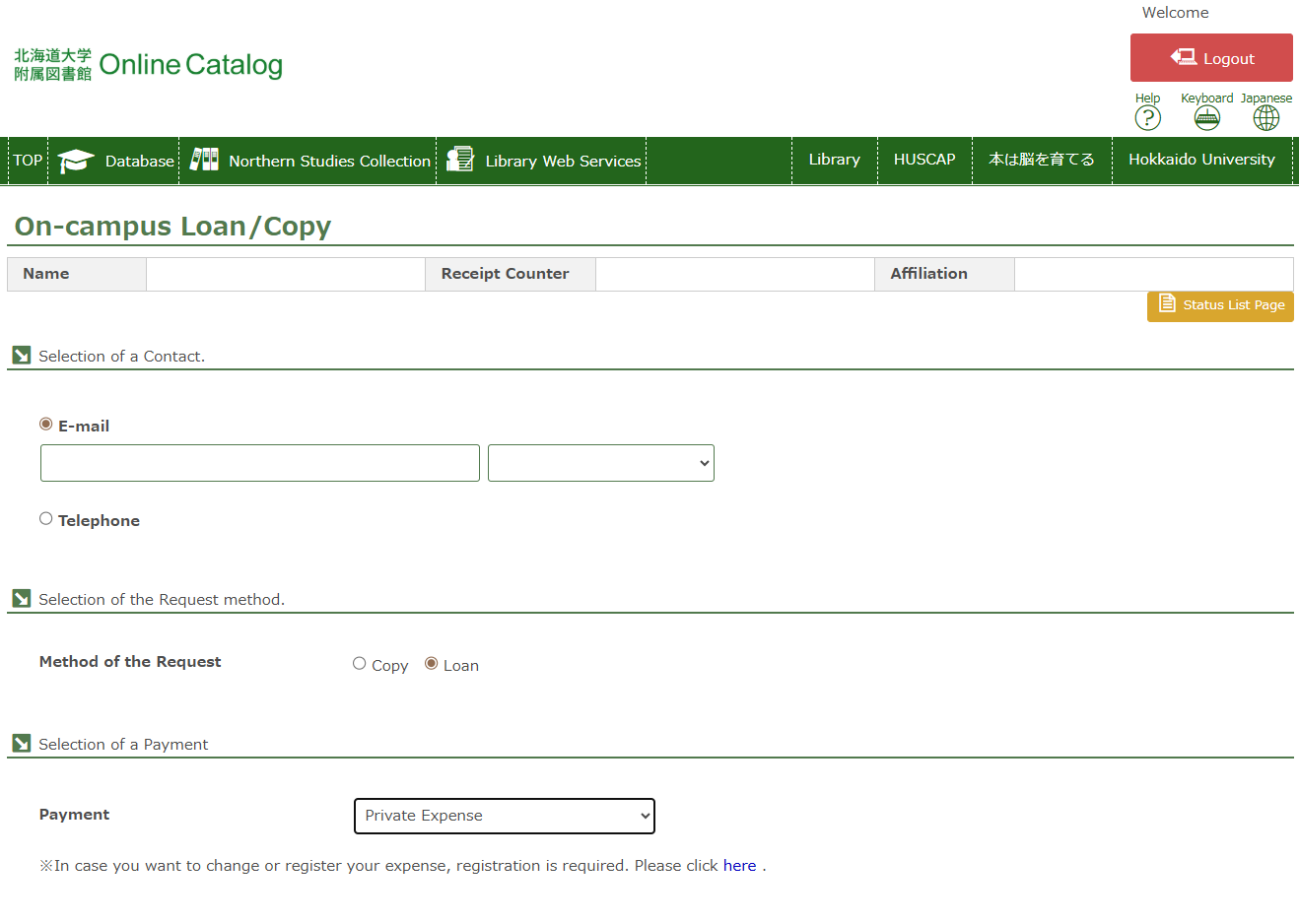
- Contact: Enter your email address. You will receive a message when the item arrives.
- Method of the Request:
- For books: Loan
- For papers: Copy
- Selecion of a Payment:
- For books → select “Private Expense” (no charge).
- For copies → you must pay the cost.
- If using personal funds, you will receive a bill at the library and pay it at the Co‑op.
- If using laboratory funds, select the appropriate option (lab funds must be registered in advance—ask at the counter).
- Limit of order: Choose “Within this Univ.” only.
- Volume and Article Information: Fill this in only if you are requesting an article copy. Leave it blank for books.
- Document Information: This field is automatically filled with the data from the catalog.
5. After completing the form, proceed to confirm and submit your request.
You can check the status of your request in Library Web Services → "Check of Status of Loan/Photocopy".
If you have any questions, please feel free to ask at the library counter.
Related Pages
Interlibrary Loan Searvice (Service overview of document delivery)
学内外への文献複写、現物貸借申込み (How to apply interlibrary loan, in Japanese)